
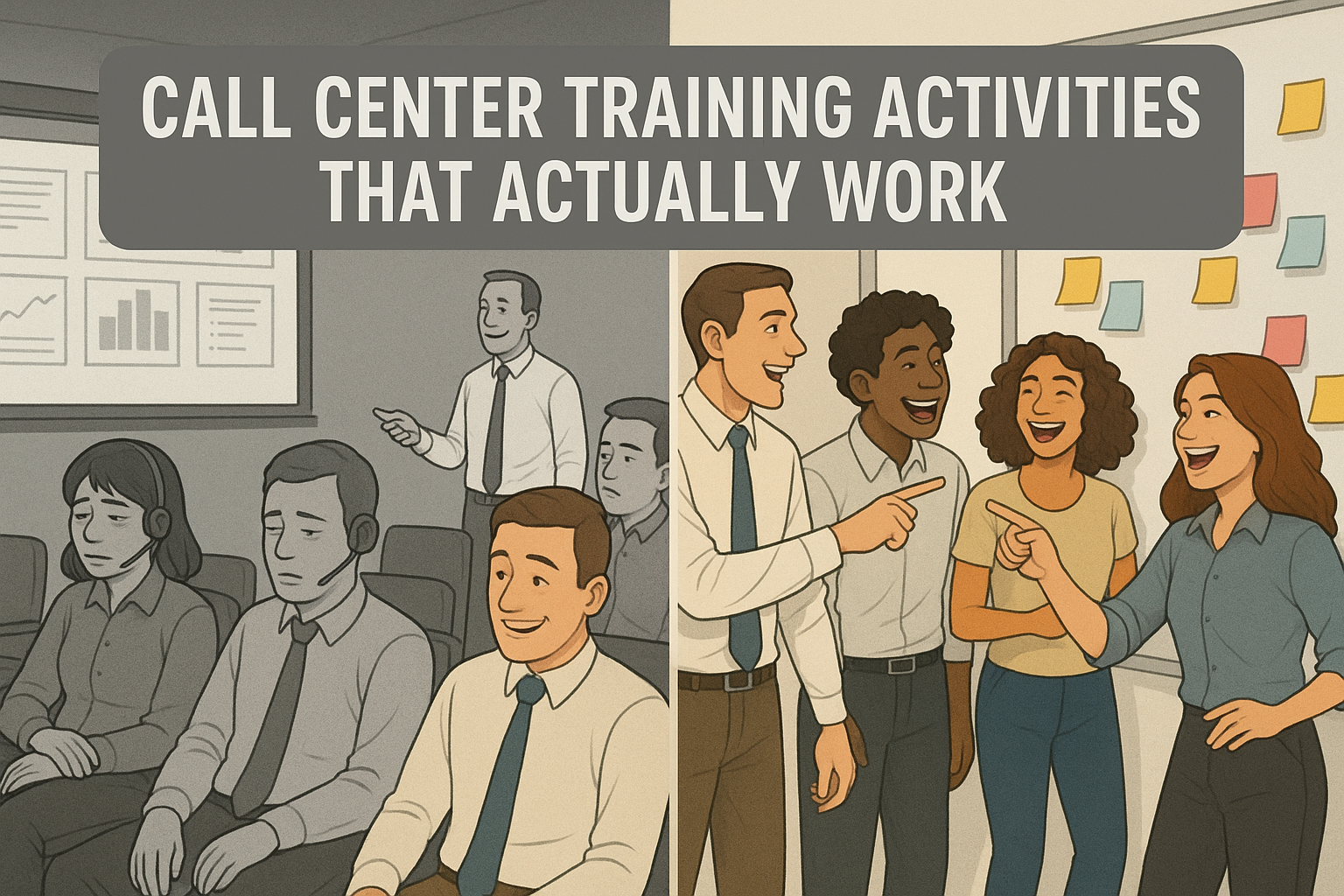
Let’s be honest: too many call center training sessions feel like death by PowerPoint. Agents sit politely through hours of slides, nodding along, but two weeks later you’re still wondering if they can handle a live customer without freezing. If you’ve ever looked out at a sea of blank stares and thought, “This can’t be sinking in,” you’re not alone.
Ready to dive right in? Skip ahead to the 7 gamification activities.
The good news is these activities aren’t just for new hire training. The same games and challenges can be used to refresh skills with seasoned agents, coach through weak spots, or inject energy into a slow day on the floor. Gamification isn’t about bells and whistles—it’s about creating moments where agents are engaged, practicing, and building confidence in ways that last.
Why Gamification Works in Call Center Training
Gamification isn’t about adding fluff to training. It’s about turning learning into something agents can absorb, remember, and apply under pressure. When you build in game-like activities, you get four big wins:
- Improved retention and recall: Agents are more likely to remember policies, products, and processes when they’ve practiced them in a challenge or game instead of just hearing about them.
- Interactive, not passive: Games break the monotony of lecture-heavy training. They get agents talking, moving, and thinking out loud, which locks in the learning.

- Soft skills in action: Listening, empathy, and problem-solving are hard to teach with slides. Gamified scenarios let agents practice these skills in realistic but safe situations.
- Stronger team connection: Shared challenges and a little healthy competition build rapport. That sense of team carries over when agents hit the floor together.
7 High-Impact Call Center Training Activities
1. Icebreaker Bingo
Trainer’s Snapshot
- Group size: 8 to 20 works best
- Run time: 10 to 15 minutes
- Prep time: 3 to 5 minutes
- Materials: Bingo cards or shared doc, pens or chat reactions
- Formats: In person or virtual
- Primary goal: Fast connection, lower nerves, surface skills and backgrounds you can leverage later
- What you’ll watch for: Who leads conversations, who hangs back, unexpected strengths to reference during coaching
- Follow-up: 2 to 3 minute debrief and quick callouts of interesting finds
How it works
- Give everyone a 5x5 card of short statements.
- Agents circulate and find a teammate who matches each square, then write that person’s name in it. One name per square.
- First to complete a row or column calls Bingo.
- Debrief with two quick prompts: what surprised you, and who you want to partner with in the next activity.
Why it works
You get immediate energy, fast rapport, and a snapshot of the room. It primes agents to talk, listen, and ask purposeful questions, which is the whole job on the phones.
Variations
- Queue Bingo: Squares tied to your top call drivers or systems.
- Skill Bingo: Behaviors you want to see on calls, like summarizing or labeling emotion.
- Remote Twist: Use a shared doc or poll; reactions count as signatures.
Common pitfalls
- Prompts that are too personal or generic. Keep them job-relevant and safe.
- Cards that are impossible to complete. Make sure multiple people can match each square.
AI Prompt Support
Use this with ChatGPT or your LLM of choice to generate tailor-made Bingo cards in under a minute.
You are helping a call center trainer create Icebreaker Bingo cards for a live session.

Context:
- Company: [COMPANY NAME]
- Team: [TEAM TYPE, e.g., Billing, Tech Support, Sales]
- Audience: [NEW HIRES | MIXED TENURE]
- Format: [IN-PERSON | VIRTUAL]
- Goals: Fast connection, surface skills and backgrounds, reduce first-day nerves, prime listening and questioning
- Constraints: No personal or sensitive data. Keep prompts professional, inclusive, and job-relevant.

Task:

1) Generate THREE 5x5 Bingo card sets with distinct themes:
   A) Queue Bingo: squares tied to our top 5 call drivers, systems, and workflows.
   B) Skill Bingo: squares reflecting call behaviors we want to reinforce.
   C) Experience Bingo: squares about prior roles, tools used, and training preferences.

2) For each set:
   - Provide 30 prompts, each 6 to 9 words, clear and specific.
   - Ensure at least 2 people in a group of 12 could match most squares.
   - Avoid health, family, age, nationality, or commute questions.
   - Include 4 squares that reference our environment:
     • products/services: [LIST 3 TO 5]
     • systems/tools: [LIST 3 TO 5]
     • policies/topics: [LIST 3 TO 5]
   - Mark 5 prompts as “easy,” 5 as “challenge,” the rest “standard.”

3) Output format for each set:
   - A Markdown 5x5 grid labeled “FREE” in the center if needed.
   - A plain list of all prompts underneath for quick copy.
   - A 60-second facilitator note with:
     • who can sign a square and how to verify quickly
     • a tie-break rule
     • 3 debrief questions tied to our goals
     • 2 optional replacements in case a square does not fit our group

4) If Format is VIRTUAL:
   - Add instructions for running in Zoom or Teams chat.
   - Replace “signatures” with “@name” mentions or reactions.
   - Provide a single-share link friendly version of the grid in Markdown.

5) Quality checks:
   - No duplicate prompts within a set.
   - No sensitive or personal topics.
   - Language at 7th to 8th grade reading level.
   - Keep the tone professional and upbeat.

Now ask me only for any missing inputs in a single line of questions, then produce the three themed sets.
2. Role-Play Switcheroo
Trainer’s Snapshot
- Group size: 2 to 6 per round
- Run time: 15–20 minutes
- Prep time: None with an Intelligent Virtual Customer (IVC) tool, 5–10 minutes if setting scenarios manually
- Materials: IVC platform (shameless plug: check out TrueCX if you’re in the market), or printed role-play scenarios
- Formats: In person or virtual
- Primary goal: Build empathy, adaptability, and quick decision-making
- What you’ll watch for: How agents adapt when the switch happens, whether they mirror empathy back to the “customer,” and how they carry tone through the transition
- Follow-up: Debrief with transcripts (if using IVC) or group discussion
How it works
With an Intelligent Virtual Customer tool, trainees interact with an AI-driven customer simulation. One trainee starts as the “agent,” responding in real time. Mid-scenario, the trainer clicks “Switch,” and the tool flips roles—now the first trainee becomes the customer (continuing the persona’s responses) while the second takes over as the agent.
If you don’t have an IVC yet, you can still run this activity the old-fashioned way: pair trainees and have one act as the customer, the other as the agent. At the switch, they trade roles and continue the call. The key is keeping prompts realistic so the practice feels valuable, not like over-the-top role-playing.
Why it works
- Agents experience what it’s like to be the customer, which makes empathy less abstract.
- Adaptability is tested live: can the new agent step in midstream and keep the conversation productive?
- The IVC option removes awkward “pretend” moments and gives consistent, trackable practice.
- The debrief turns a fun exercise into practical coaching.
Variations
- Timed Switch: Swap roles every 90 seconds no matter where the call is.
- Curveball Switch: The trainer triggers the swap at unpredictable moments.
- Group Mode: While two agents switch off, others observe and score empathy, clarity, and adaptability.
Common pitfalls
- Switching before rapport is established. Let the first “agent” warm up.
- Overcomplicating the customer profile too early. Start with common call types before escalating.
- Skipping reflection. The switch only works if trainees stop and talk about what changed.
AI Support
An Intelligent Virtual Customer tool takes this activity to another level. It keeps scenarios realistic, tracks transcripts, and highlights coaching opportunities. If you’re exploring IVCs, shameless plug—TrueCX specializes in building these simulations and can preload your top call drivers, personas, and escalation paths.
3. The 60-Second Knowledge Blitz
Trainer’s Snapshot
- Group size: Works with any size, best with 6+
- Run time: 5–10 minutes per round
- Prep time: 5 minutes to build a question list (or none if using AI-generated sets)
- Materials: Timer, whiteboard or scoreboard, optional buzzer or chat reactions
- Formats: In person or virtual
- Primary goal: Boost recall, sharpen focus under pressure, reinforce policies or product details
- What you’ll watch for: Who answers confidently, who hesitates, which questions consistently stump the group
- Follow-up: Review the top 3 most-missed questions and turn them into a quick coaching moment
How it works
Set a timer for 60 seconds. One trainee answers as many rapid-fire questions as possible before time runs out. Rotate until everyone gets a turn. Questions should focus on your top policies, workflows, or product knowledge.
Why it works
- Transforms rote memorization into a fast, fun challenge.
- Builds quick recall under mild pressure, just like live calls.
- Surfaces weak spots instantly, giving you ready-made coaching material.
Variations
- Team Blitz: Teams compete, with steals allowed if a player misses.
- Category Blitz: Organize by theme (verification, billing, troubleshooting, product features).
- Reverse Blitz: Give the answer, and trainees provide the question.
Common pitfalls
- Questions that are all surface-level or all obscure. Aim for a balanced mix.
- Focusing on speed over accuracy. Reward correct answers most.
- Letting the energy die—short rounds keep it sharp.
AI Prompt Support
Here’s a ready-to-use prompt you can drop into ChatGPT or your LLM of choice to auto-generate question sets tailored to your industry and policies.
You are helping a call center trainer create a 60-Second Knowledge Blitz game.
The goal is to generate fast-paced quiz questions that reinforce the exact knowledge agents need on the floor.

Inputs:
- Industry: [INDUSTRY NAME, e.g., Telecom, Retail Banking, Healthcare Insurance]
- Products/Services: [LIST 3–5 key items]
- Top Call Drivers: [LIST 3–5 common reasons customers call]
- Key Policies/Processes: [LIST 3–5 rules or workflows agents must recall quickly]
- Agent Experience Level: [NEW HIRES | MIXED TENURE | SEASONED]
- Difficulty: [EASY | STANDARD | CHALLENGE]
- Format: [IN-PERSON | VIRTUAL]

Task:

1. Generate **30 quiz questions** tailored to the inputs above.
   - Keep questions short (one sentence).
   - Each answer should be one to two sentences max.
   - Balance difficulty: 10 easy recall, 15 standard, 5 challenge.
   - Prioritize accuracy, clarity, and relevance to live calls.

2. Organize questions by category:
   - Policies & Compliance
   - Product/Service Knowledge
   - Troubleshooting/Process Steps
   - Customer Handling (tone, empathy, escalation triggers)

3. Output format:
   - A numbered list of questions with their correct answers.
   - Mark each question EASY, STANDARD, or CHALLENGE.
   - Include a **lightning round** of 5 “Yes/No” or “True/False” questions for bonus speed play.

4. End with a **facilitator note** explaining:
   - How to run the blitz in person vs. virtual.
   - How to score (accuracy over speed).
   - How to debrief (highlight the top 3 most-missed questions as coaching points).

Constraints:
- No trick questions.
- No outdated or obscure details.
- Use a professional but engaging tone.
4. Customer Empathy Map
Trainer’s Snapshot
- Group size: 3–6 per team
- Run time: 20–25 minutes
- Prep time: 5 minutes if building scenarios manually, none with AI-generated content
- Materials: Whiteboard or large paper, sticky notes or markers, optional digital collaboration tool (Miro, MURAL, Jamboard)
- Formats: In person or virtual
- Primary goal: Strengthen empathy, sharpen listening skills, and understand the customer’s perspective beyond surface-level complaints
- What you’ll watch for: Who focuses only on “what was said” vs. who digs deeper into feelings and motivations
- Follow-up: Have teams share their maps, compare similarities and differences, and identify one empathy skill to practice on calls
How it works
Divide agents into small groups. Each group gets a customer scenario (e.g., wrong bill, service outage, delayed delivery). On their empathy map, they document the customer’s:
- Says: What the customer actually says aloud
- Thinks: What the customer is likely thinking but not saying
- Feels: The emotions driving their behavior
- Does: The actions they take (e.g., calling back repeatedly, threatening to cancel)
Teams then share maps with the larger group, sparking discussion about what customers really need in those moments—beyond just a resolution.
Why it works
- Builds emotional awareness—agents stop seeing “angry customer” and start seeing the person behind it.
- Reinforces active listening and digging beneath the words.
- Helps agents prepare for emotional dynamics, not just technical fixes.
Variations
- Escalation Map: Map the customer’s emotional journey over multiple interactions.
- Reverse Map: Start with “Feels” and “Thinks,” then work backward to “Says” and “Does.”
- Compare Queues: Give different groups different call drivers, then compare empathy maps side by side.
Common pitfalls
- Staying shallow (“They’re mad” instead of “They’re scared about losing service”). Push teams to dig deeper.
- Treating it as a guessing game instead of a tool to sharpen real listening.
- Skipping the debrief. The reflection is where empathy lessons stick.
AI Prompt Support
Here’s a ready-to-use prompt you can give to ChatGPT or any LLM to generate empathy map scenarios tailored to your industry and call drivers.
You are helping a call center trainer create Customer Empathy Map scenarios.

The goal is to generate realistic situations that challenge agents to understand a customer’s words, feelings, thoughts, and actions.

Inputs:
- Industry: [INDUSTRY NAME, e.g., Retail Banking, Telecom, Healthcare Insurance]
- Customer Persona: [e.g., Busy parent, Elderly customer, Small business owner]
- Top Call Driver: [e.g., Billing error, Service outage, Denied claim]
- Customer History: [First-time caller | Repeat caller | Escalated case]
- Agent Experience Level: [New hire | Experienced agent | Mixed group]
- Tone of Customer: [Calm, Frustrated, Angry, Confused, Upset but polite]

Task:

1. Generate **5 customer scenarios** based on the inputs above.
   - Each scenario should include:
     • Customer’s **situation/context** (1–2 sentences)
     • Sample **“Says”** (3–4 customer quotes)
     • Likely **“Thinks”** (3–4 unspoken thoughts)
     • Likely **“Feels”** (3–4 emotions with context)
     • Likely **“Does”** (3–4 observable actions)

2. Ensure each scenario feels realistic and mirrors the emotional complexity agents will encounter on real calls.

3. Output format:
   - Scenario header (short title)
   - Scenario details structured under: Says, Thinks, Feels, Does
   - A 2-sentence facilitator note explaining how to run the empathy map activity with this scenario.

Constraints:
- Keep customer language professional but authentic (avoid cartoonish overacting).
- Stay industry-relevant, reflecting actual call drivers.
- Use neutral, inclusive language.
- Write at a 7th–8th grade reading level for clarity.
5. Problem-Solving Relay
Trainer’s Snapshot
- Group size: 4 to 8 per team, 2 to 4 teams
- Run time: 20 to 25 minutes plus a 5 minute debrief
- Prep time: 10 minutes if you build cases manually, near zero with AI generated packets
- Materials: Scenario cards, timer, whiteboard or shared doc, simple scoring sheet
- Formats: In person or virtual with breakout rooms
- Primary goal: Practice end to end resolution under time pressure and improve handoffs
- What you will watch for: Clear verification, crisp documentation, smart use of systems, timely escalation, quality of handoff notes
- Follow up: Convert the winning path into a one page job aid and log the common blockers you saw
How it works
Create one realistic multi step case tied to a top call driver. Break the journey into legs that match your process, for example: verify, discover, research, apply policy, resolve, document. Split your team into a relay line. Each person owns one leg with a strict time box, then passes the case to the next person using a short handoff note. Keep the customer context continuous. Score for accuracy, policy adherence, empathy cues in notes, and speed. Run a quick debrief and repeat with a small twist.
Why it works
- Forces process discipline without feeling like a lecture
- Builds respect for clean handoffs and notes other people can use
- Exposes gaps that get missed in single person mock calls
- Creates a safe space to practice escalation logic and tradeoffs
Variations
- Blind Handoff: The next agent sees only the prior notes, not the live conversation
- Escalation Fork: Add a decision point where the wrong choice costs time
- Evidence Hunt: Release a key artifact when someone asks the right question
- Noise Round: Introduce a minor system outage or policy change mid relay
Common pitfalls
- Steps are vague so no one knows what good looks like
- Speed gets rewarded over accuracy and documentation
- The same two people dominate every leg
- No debrief, so lessons do not transfer to live calls
AI Prompt Support
Use this prompt with ChatGPT or your LLM of choice to generate a complete Problem Solving Relay packet tailored to your shop.
You are helping a call center trainer design a Problem-Solving Relay activity.

Goal:
Create a realistic, multi-step resolution exercise that trains agents to verify, diagnose, apply policy, resolve, and document with clean handoffs under time pressure.

Inputs:
- Industry: [e.g., Telecom, Retail Banking, Healthcare Insurance, E-commerce]
- Queue/Team: [e.g., Billing, Tech Support, Claims, Orders]
- Products/Services: [list 3–5]
- Top Call Driver: [e.g., billing error, service outage, denied claim]
- Systems in scope: [e.g., CRM, Billing, Knowledge Base, Ticketing]
- Verification requirements: [fields that MUST be confirmed]
- Compliance constraints: [e.g., PCI, HIPAA, disclosure rules]
- SLAs or targets: [e.g., AHT, FCR, hold time]
- Escalation tiers: [e.g., L1, L2, Supervisor, Back office]
- Agent experience level: [New hire | Mixed | Seasoned]
- Complexity level: [Easy | Standard | Challenge]
- Format: [In-person | Virtual]
- Number of teams: [e.g., 3 teams of 5]

Tasks:

1) Build ONE primary scenario tied to the Top Call Driver.
   - Provide a 3-sentence brief, a customer persona, starting context, and data available at start.
   - Include 2 red herrings and 2 missing but discoverable facts.
   - State what success looks like in one sentence.

2) Map the relay into 4–6 legs. For EACH leg, include:
   - Objective and time limit
   - Required actions and system steps
   - 3 targeted questions the agent should ask
   - Artifacts to produce (case note, disposition, order ID, etc.)
   - Success criteria and common mistakes
   - Penalties for breaking policy or skipping verification

3) Provide a handoff note template that fits on 4 lines:
   - Context, what was verified, what was tried, next step

4) Create a scoring rubric out of 100 points:
   - 60 quality, 25 process adherence, 15 time
   - List exact deductions for misses like verification, disclosures, wrong disposition

5) Add facilitator controls:
   - When to drop a curveball, how to keep time, tie-break rule
   - A quick hint the trainer can give without solving the problem

6) Produce printable materials:
   - Scenario card
   - Role cards for each leg
   - Team score sheet

7) Write a 5 minute debrief plan:
   - 5 questions that connect to empathy, policy, and process
   - Turn the winning path into a one-page job aid outline

8) Provide variants:
   - Virtual instructions with breakout rooms and a shared doc
   - Smaller teams with combined legs
   - Hard mode that adds an escalation decision

Output format:
- Use clear Markdown headings.
- Sections in this order: Scenario Brief, Legs, Handoff Template, Scoring Rubric, Facilitator Controls, Printables, Debrief Plan, Variants.

Constraints:
- No personal or sensitive data. Use placeholders if needed.
- Keep language clear at a 7th to 8th grade reading level.
- Keep tone professional and realistic. No overacting cues.
- Ensure at least one valid resolution path exists and is fully described.
6. Call Simulation Challenge
Trainer’s Snapshot
- Group size: 2 to 4 per scenario
- Run time: 20–25 minutes
- Prep time: None with an Intelligent Virtual Customer (IVC) tool, 10–15 minutes if building scenarios manually
- Materials: IVC platform (check out TrueCX if you’re exploring options) or printed call scripts
- Formats: In person or virtual
- Primary goal: Practice real-world customer scenarios, test decision-making under pressure, strengthen feedback culture
- What you’ll watch for: Who asks clarifying questions, who rushes, who de-escalates well, who misses key details
- Follow-up: Peer or AI-driven feedback, highlight best practices, repeat with tougher scenarios
How it works
With an Intelligent Virtual Customer tool, agents enter a simulated call designed around your top call drivers (billing issue, tech outage, shipping delay, etc.). In small groups, one agent handles the “customer,” while others observe and note strengths or gaps. After the call, everyone discusses what went well, what to improve, and how they’d handle it differently. Then rotate roles so each person gets a turn in the hot seat.
If you don’t have an IVC, the fallback is a trainer-written scenario played by a peer. One person acts as the customer with a short script or prompt, while the other handles the call. Observers provide feedback. It works, but consistency depends on how committed peers are to playing the customer role.
Why it works
- Moves agents from theory into practice in a safe, repeatable environment.
- Surfaces blind spots that won’t show up in a lecture—like skipping verification or failing to check account notes.
- Builds peer-to-peer coaching habits when agents give feedback on what they observed.
- With an IVC, trainers get transcripts and performance data without disrupting flow.
Variations
- Speed Round: Multiple short calls in quick succession, testing fast resets.
- Escalation Path: Run the same scenario twice, with the second round adding a curveball (angrier customer, policy roadblock).
- Silent Observer: One agent listens without participating, then summarizes the customer’s emotions and key points.
Common pitfalls
- Overloading new hires with edge cases too early. Start with top 3 call drivers first.
- Letting feedback drag. Keep it structured: one strength, one improvement.
- Agents slipping into “performance mode” instead of natural conversations. Remind them realism beats theatrics.
AI Support
This activity comes alive with an Intelligent Virtual Customer tool. It standardizes scenarios, ensures consistency across groups, and provides objective feedback. You can preload the exact calls your agents will face on the floor and even adjust difficulty as confidence grows.
If you’re ready to take the guesswork out of practice calls, shameless plug—TrueCX builds custom simulations around your real call drivers and gives you live insights into agent readiness.
7. Recognition Race
Trainer’s Snapshot
- Group size: Any size, works best with 8+
- Run time: Ongoing throughout training or coaching cycle
- Prep time: 5–10 minutes to design scoring categories
- Materials: Scoreboard (whiteboard, shared doc, or LMS tracking), small rewards (optional)
- Formats: In person or virtual
- Primary goal: Motivate consistent engagement, recognize contributions in real time, reinforce the right behaviors
- What you’ll watch for: Who contributes consistently, who improves week to week, and who thrives under visible recognition
- Follow-up: Tie points back to specific strengths (e.g., “3 points for catching that policy detail”), then highlight winners in a closing recognition moment
How it works
The Recognition Race runs in the background of training. Agents earn points for positive behaviors like volunteering answers, helping peers, completing activities on time, or demonstrating empathy in role-plays. Track scores visibly so everyone sees progress. At the end of training, recognize the top scorers with a certificate, shout-out, or small prize.
Why it works
- Turns engagement into a visible, ongoing game instead of a one-off activity.
- Encourages quieter agents to contribute, since every action counts.
- Builds a culture of recognition where effort gets noticed, not just outcomes.
- Reinforces the exact behaviors you want to see on the floor.
Variations
- Team Race: Score by table or breakout group instead of individuals to promote collaboration.
- Surprise Points: Award double points for a hidden “focus skill” (like empathy) revealed at the end of the session.
- Peer Recognition: Let agents award one point to a peer who helped them during training.
Common pitfalls
- Overcomplicating the system. Keep it simple: clear actions, visible points, and quick tallying.
- Rewarding only speed or volume. Balance recognition with quality and accuracy.
- Skipping the celebration. Recognition without a moment of closure feels hollow.
AI Prompt Support
Here’s a detailed prompt to help you design a Recognition Race that matches your training goals, culture, and agents.
You are helping a call center trainer design a Recognition Race activity.

The goal is to create a simple, motivating points-based system that rewards agent engagement and reinforces key behaviors during training or coaching.

Inputs:
- Industry: [e.g., Telecom, Banking, Healthcare, E-commerce]
- Training Type: [Onboarding | Refresher | Coaching Program]
- Agent Experience Level: [New hires | Mixed | Experienced]
- Key Behaviors to Reinforce: [e.g., volunteering answers, helping peers, applying empathy, accuracy, speed]
- Format: [In-person | Virtual | Hybrid]
- Training Duration: [1 day | 1 week | 4 weeks]
- Reward Style: [Public recognition | Certificates | Small prizes | Team competition only]

Task:

1. Generate a Recognition Race system tailored to the inputs above.
   - Define **5–7 scoring actions** (behaviors agents can earn points for).
   - Assign clear point values (e.g., +2 for answering a tough question).
   - Provide a simple **scoreboard design** suitable for the format.
   - Suggest **1–2 optional penalties** for disruptive behaviors (if appropriate).

2. Provide **3 variations**:
   - Individual competition
   - Team-based
   - Hybrid (mix of both)

3. Write a **scoring rubric**:
   - Points available per activity/day
   - Total possible points for the program
   - How to handle ties

4. Add a **facilitator guide**:
   - How to explain the rules quickly
   - How to keep scoring visible without slowing down training
   - How to announce winners (tone: celebratory, not punitive)

5. End with a **5-question debrief set** to link recognition back to agent motivation and workplace culture.

Constraints:
- Keep the system easy to manage without technology.
- Avoid rewarding only extroverts; ensure points cover a variety of engagement styles.
- Keep tone professional but fun.
- All language should be clear at a 7th–8th grade reading level.
How Trainers Can Apply These Activities
The best part about these activities is their flexibility. They’re not locked to onboarding or “Day 1 icebreakers”—you can slot them in wherever you need a boost in engagement, practice, or focus.
- Adapt by training stage
- Onboarding: Use them to break up long sessions, build confidence, and get new hires practicing early.
- Refresher training: Drop in a Knowledge Blitz or Simulation Challenge to reinforce updates without another slide deck.
- Coaching: Run a quick Empathy Map or Problem-Solving Relay with agents who are struggling in specific areas.
- Mix and match formats. Every activity can run in person, in a virtual classroom, or even as a quick stand-up huddle on the floor. A Recognition Race works as well in a Zoom room as it does on a whiteboard in training.
- Keep setup low effort, high impact. These activities don’t need complex prep. A few scenario cards, a timer, or a shared doc is enough. If you do have an Intelligent Virtual Customer tool, you can instantly scale role-plays and simulations—but even without one, every exercise here is trainer-ready with simple materials.
- Always close the loop. The activity is the spark, but the debrief is where learning sticks. Build in 3–5 minutes at the end to highlight what went well, what could improve, and how the lesson ties directly back to live calls.
TL;DR: Call Center Training Activities
Call center training activities keep agents engaged, improve retention, and build real-world skills faster than lecture-heavy sessions. The most effective ones are simple to run, adaptable for onboarding or refresher training, and focus on interaction over theory.
Here are 7 high-impact call center training activities trainers can use right away:
- Icebreaker Bingo – Fast connection builder on Day 1.
- Role-Play Switcheroo – Agents swap roles mid-scenario to build empathy and adaptability.
- 60-Second Knowledge Blitz – Rapid-fire quiz for policy and product recall.
- Customer Empathy Map – Map what customers say, think, feel, and do.
- Problem-Solving Relay – Team race to resolve multi-step customer issues.
- Call Simulation Challenge – Realistic practice calls with peer or AI-driven customers.
- Recognition Race – Ongoing points system to reward engagement.
How to use them:
- Adapt for onboarding, refresher training, or coaching.
- Run in person, virtually, or during quick huddles.
- Always include a short debrief so the learning sticks.
Bottom line: Gamified call center training activities make learning stick, boost confidence, and strengthen team morale. Start with one in your next session and build from there.
Want more insights like this?
Subscribe to TrueCX's newsletter—the #1 resource for contact center trainers—for the latest in AI-powered training, team performance strategies, and real-world tips for building a stronger, smarter contact center, starting with contact center coaching.